Showing posts with label Tech Guide. Show all posts

What You Must Know About the New BlackBerry KEYone

According to a report on GSM Arena, the latest phone from BlackBerry is now available globally: BlackBerry KEYone! It is the unparalleled combination of BlackBerry and Android that turns your phone into the efficiency power tool we all need! Let's all start to get things done!

Get $25 instantly just for creating a Payoneer Account. Click on this link to Sign Up


KEY FEATURES


NETWORK
GSM / HSPA / LTE

LAUNCH
2017, February
Available. Released 2017, April

BODY
149.1 x 72.4 x 9.4 mm (5.87 x 2.85 x 0.37 in)
180 g (6.35 oz)
QWERTY
Nano-SIM

- Capacitive touch 4-row BlackBerry keyboard

DISPLAY
IPS LCD capacitive touchscreen, 16M colors
4.5 inches (~55.9% screen-to-body ratio)
1080 x 1620 pixels (~433 ppi pixel density)
Yes
Corning Gorilla Glass 4

PLATFORM
Android 7.1 (Nougat)
Qualcomm MSM8953 Snapdragon 625
Octa-core 2.0 GHz Cortex-A53
Adreno 506

MEMORY
microSD, up to 256 GB
32 GB, 3 GB RAM

CAMERA
12 MP, f/2.0, phase detection autofocus, dual-LED (dual tone) flash
1/2.3'' sensor size, 1.55µm pixel size, geo-tagging, touch focus, face detection, HDR, panorama
2160p@30fps
8 MP, f/2.2, 1.12 µm pixel size, 1080p

SOUND
Vibration; MP3, WAV ringtones
Loudspeaker
Yes
3.5mm jack
Yes

- Active noise cancellation with dedicated mic

COMMS
WLAN
Wi-Fi 802.11 a/b/g/n/ac, dual-band, WiFi Direct, hotspot
Bluetooth
4.2, A2DP, LE, EDR
GPS
Yes, with A-GPS, GLONASS, BDS2
NFC
Yes
FM radio
3.1, Type-C 1.0 reversible connector, USB On-The-Go

FEATURES
Fingerprint (front-mounted), accelerometer, gyro, proximity, compass
Messaging
SMS, MMS, Email, Push Email, IM, BBM
HTML5
No

- Fast battery charging: 50% in 36 min (Quick Charge 3.0)
- MP3/WAV/eAAC+/FlAC player
- DivX/Xvid/MP4/H.265 player
- Photo/video editor
- Document viewer

BATTERY

Non-removable Li-Ion 3505 mAh battery

MISC
Black
About 600 EUR

TESTS


Also, S4BB has published the supported Android Apps for the new BlackBerry KEYone as you can see below.
Recommended Android apps that run perfectly on the BlackBerry KEYone:
Read More »

Facts You Need to Know on Validating Your Startup Ideas

So you finally thought of an idea that will be great for a startup business! The thought could be really so exciting it’s like a bulb that lights up in your mind. Now that it is clear this is the type of business you would like to get into, you will need the proper guidance to ensure that it will truly succeed.
All successful businessmen have their own stories of ups and downs before they achieved their goals. It would be wise to seek a mentor who can guide you to the path of success. This is one of the ways you can validate your startup ideas and learn valuable insights. After all, experience is the best teacher and people who have been in business for several years have become rich due to this.

Get $25 instantly just for creating a Payoneer Account. Click on this link to Sign Up
You may think your idea may be unique and that there might be no one in the market selling the same product or services. The formula to creating your own niche in the market or in setting your own market trend doesn’t differ in any type of business. There is always something new and helpful that you will learn once you sit down and talk with people who have created their own market niche.
Often you will hear how difficult it may have been for them when they are in the initial stages of introducing their business ideas to a neophyte market. How they were able to breakthrough and sustain their foothold in the industry is something really valuable that you need to learn.

Keeping an open mind and the willingness to learn from the success of others is one of the ways in making your start-up business a true winner. 
This infographic lists down some of the steps that you may hear from successful business tycoons that you can emulate to become the next big entrepreneur!

Read More »

GT Bank Now Helps You Save Money for a Purpose via Target Account

Credit: GT Bank

The GuarantyTrust Bank Target is a platform through which you can save money automatically. It is a new innovation by Guaranty Trust Bank Plc. which encourages financial discipline through savings. The new innovative product is purposely designed to enable its customers save for a purpose with a certain target, such as: higher education, purchase of new car, building a new house, wedding, holiday, etc. Whatever your goal could be financially, the Guaranty Trust Bank Target is there to help you make it a reality.

Get $25 instantly just for creating a Payoneer Account. Click on this link to Sign Up


As soon as you have signed up for the Guaranty Trust Bank Target account, you can go ahead to set up standing instruction orders to funding your Guaranty Trust Bank Target account at your desired pace. Note that Guaranty Trust Bank Plc. will require that you provide the account which will be debited for the standing instruction orders you have given, the exact amount to be debited in the account you have provided, the frequency at which debit shall be made, for instance; (thirty days, three months, six months, etc.), the start date for debit and end date for same.

Credit: Tech for Luddites
For instance, if you want to have Nine Hundred Thousand Naira (N900,000) in six months, you can give Guaranty Trust Bank a standing order to have One Hundred and Fifty Thousand Naira (N150,000) automatically transferred from your Guaranty Trust Bank savings or current account to your Guaranty Trust Bank Target account at a certain time every month for the period of six months.
The question now is; what do you plan to save for? Is it for your higher education, house, Bugatti car, Apple laptop, or what? All you need do is place a standing order to Guaranty Trust Bank to make regular, fixed payments from your savings or current account to your GT Bank Target account.
Note that each time you wish to withdraw from your Guaranty Trust Bank Target account for the purpose you are saving, you can transfer the actual amount you wish to withdraw to your Savings or current account so you may withdraw the money either at the banking hall, at the ATM or use it for online transactions on the internet.

Seven Things the Guaranty Trust Bank Target Account Can Offer

  1. It offers you a minimum savings period of six months
  2. It is a non-transactional account
  3. You have zero account opening balance
  4. You can make standing order at a frequency of monthly, quarterly or semi-annually
  5. You can make mandatory standing order of Five Thousand Naira (N5, 000) minimum 
  6. You can open maximum of three sub accounts for different financial goals and targets
  7. You can open the account on Guaranty Trust Bank internet banking platform or by walking into any branch of the bank nationwide.

Steps to Opening Guaranty Trust Bank Target Account on the Internet Banking Platform of the Bank

  1.  Log in to the Guaranty Trust Bank Internet Banking Platform
  2. Click on "Self Service" on the side menu.
  3. Click on "GT Target Account" and follow the instructions.
  4. Guaranty Trust Bank Target Account number will be generated for you automatically.
  5. Thereafter, proceed to place your standing order instruction.

Congratulations! You are done with account opening.

Read More »

Clean up Your Computer Components and Peripherals

Dirt represents the biggest hazard for your computer’s components and peripherals. In order to prevent overheating and dust build-up, you need to clean all of your computer elements on a regular basis. Although most people feel reluctant when they need to unscrew and open their computer case, you’ll be happy to find out that the whole cleaning process can be done in less than 30 minutes and you don’t need to remove RAM or video card while doing it.

How often you should clean your unit?

This depends on many different factors. These are some of the things that determine dirt buildup around your computer’s components and peripherals:
  1. Computer placement- Desktop computers that are placed on the floor attract more dust, hair and carpet particles;
  2. Smoking or nonsmoking room- Smoking around your computer increases ash and chemical build-up inside the case;
  3. Pet friendly room- Desktop computer owners with pets, usually find much more hair and shredded fur inside the CPU fan and need to clean their computers more frequently;
  4. Couch (computer) potato(-ism)- People who spend a lot of time in front of their machines and tend to eat and drink while playing their favorite games or browsing the internet can find food and drink leftovers in-between keys or inside the case.

Tools

Computer cleaning can be done with a wide variety of different tools. You should gather the whole cleaning tool set before you open your case. This tool set should include:
  1. Small-caliber screwdriver set- to open the case and disassemble and reassemble components and peripherals;
  2. Can of compressed air or small vacuum cleaner- to blow off the dust;
  3. Camera or smartphone- to take photos of the placement of computer parts and of the cable scheme (or to ask Google for help);
  4. Small paint  or tooth brush- for places that can’t be reached by compressed air;
  5. Cotton swab and alcohol- for delicate cleaning;
  6. Thermal paste- to protect the processor and fan from extensive heat;
  7. Microfiber cloth and glass cleaner- to clean the monitor;
  8. Zip ties- to hold and arrange cables after the cleaning is done;

Cleaning process

Before you open your computer case or any peripheral unit, you need to make sure that all power cables are disconnected. Start with cleaning your peripherals.

Keyboard

Before you start, take a photo of the keyboard, in case you forget the key scheme. Remove each key and clean it thoroughly with cotton swab and alcohol. For surface under the keys you can use a small vacuum cleaner or a can of compressed air.

Printer

repair.png
Image source: http://toledoprinterrepair.net//wp-content/uploads/2012/09/repair.png
Dirty printer head often causes printing problems. You need to clean it with alcohol or with a product specially designed for printer head cleaning. You should also clean printer rollers, which will eliminate further paper jam issues. Also, don’t forget to clean the ribbon and stabilizer bar. Area around toner cartridges should also be cleaned. You can use this opportunity to refill printing cartridges, but remember to always use an appropriate ink for this purpose. So, if you use Ricoh printer, fill cartridges with original Ricoh ink. For HP, always choose branded HP refills, and so on.

Computer screen

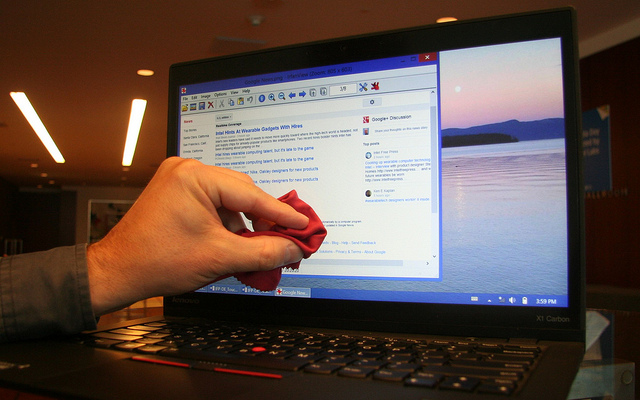
Apply glass or specialized screen cleaner on microfiber cloth and clean the monitor with gentle circular moves. In the end, wipe the monitor with a dry cloth in order to remove excess moisture.

Opening computer cabinet

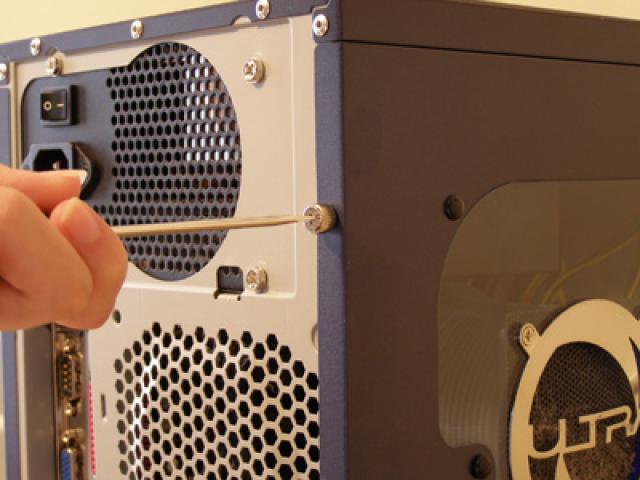
Computer cabinet should be opened with a screwdriver. Most desktop computers can be opened with 6-32 screwdrivers, while for some cabinets you will need an M3. Screws are usually on the back of the case. When you open the case, blow off the dust with compressed air, and then start disconnecting and unscrewing each computer component. Don’t forget to take a photo of your computer’s scheme and fold all the cables to make reconnecting them easier.

Fan

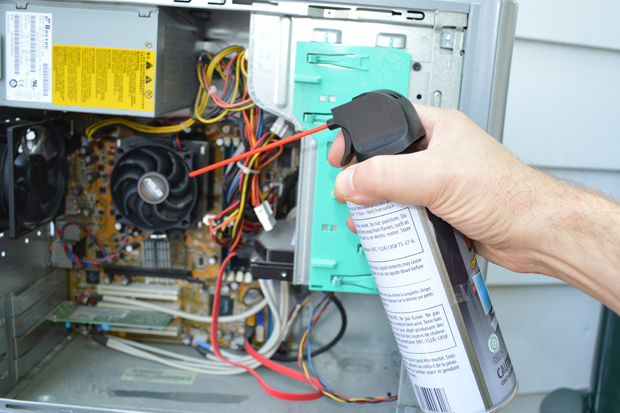
Fan is the first thing you should clean. You can clean it with compressed air, just make sure not to blow fan dust back to your computer cabinet. To clean the fan thoroughly, you need to unscrew it and clean it with cotton swab soaked in alcohol (some people use damp tooth brush for this task). When you’re reinstalling your fan, watch out for the sign that indicates which way the air is being pushed into the computer case.

Mother board

If you want to clean your motherboard just a bit, you should use compressed air can and simply blow off the dust. But, if you want your motherboard to be fully cleaned and shiny, remove each element from it (CPU, cards, RAM etc.) and clean it with a cotton swab. This kind of motherboard spring cleaning can be done once a year, and it will solve all of your mother board, CPU, RAM and GPU dust issues.

Processor

CPUs are wrapped in thermal paste in most computers, and there are two ways to clean them. You can simply blow the dust and thermal paste’s residual material off with a can of compressed air, or you can unscrew the processor and thoroughly clean its heatsink with alcohol applied on a cotton swab. Second option will leave you with a spotless processor, but you will need to apply a new layer of thermal paste, before attaching it back to the motherboard.

Desktop spring cleaning is very useful, not only for removing dust from your computer’s components, but also for conducting on the spot diagnostics that will determine which components and parts are ready for a refresh or a change. You should also use this opportunity to arrange your cables with zip ties, which will make your next computer cleaning much easier.

This article was written by Raul Harman, a KnowledgeBlog.Net Contributor; a Tech Geek and an Editor of Technivorz.
You can send us your tech related articles for publishing to attamah@knowledgeblog.net, and it will be published under Guest Posts. You can also send us Sponsored Posts for publishing via same email ID attamah@knowledgeblog.net. 
Read More »

Get free updates delivered to your inbox
facebook twitter gplus pinterest rss